
For freelancers who need every Upwork Connect to count
Pursue the Upwork jobs worth your Connects.
Goldmine helps you decide which visible jobs deserve a proposal, then keeps every serious pursuit moving in one focused side panel.
7-day full-access trial · No card required · Daily availability applies
Independent product by Imayan Digital LLP. Not affiliated with or endorsed by Upwork.
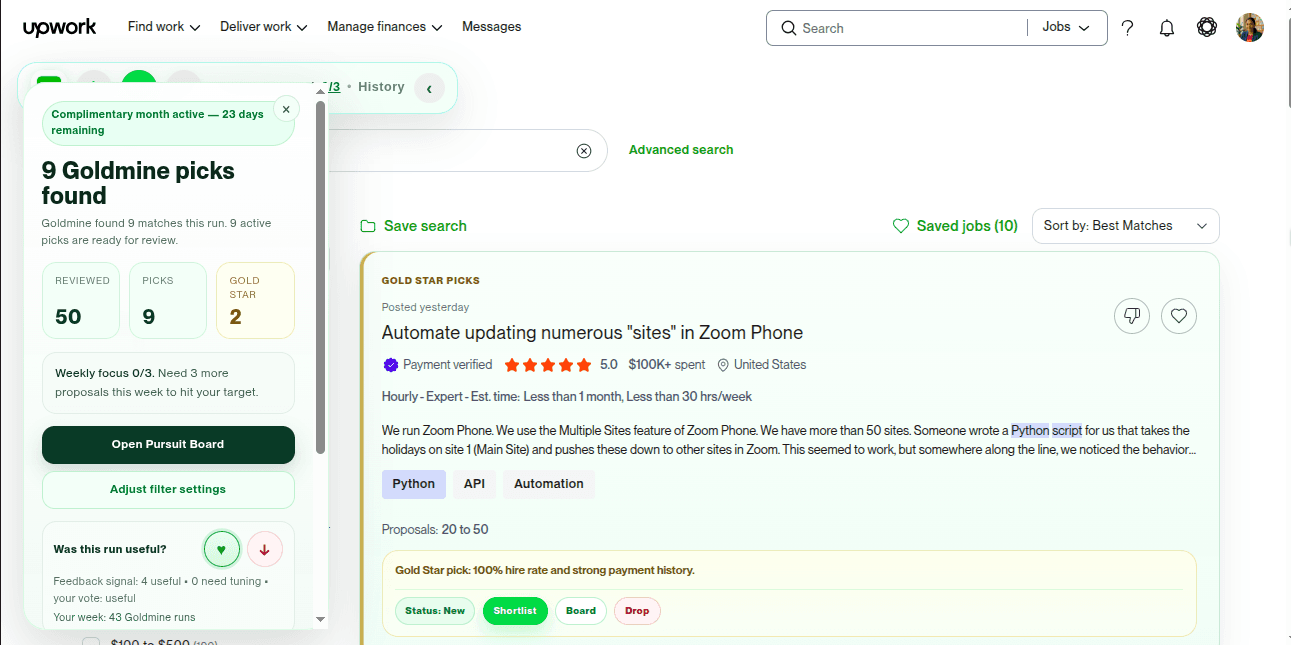
From first look to follow-through
A clear decision now. The next right action later.
Know when to look closer
Click the UG action on the job you choose. Goldmine opens it and returns one clear recommendation inside the job view.
Cut a noisy search down
When you choose the optional search review, Goldmine narrows the visible page to the opportunities that deserve your judgment.
Keep the pursuit moving
Shortlist, prepare, submit, follow up and clear stale work from a focused side panel that stays beside Upwork.
One line. Stronger client and activity signals.
A decision aid, not another dashboard.
Goldmine weighs visible client-history and job-activity signals, then compresses them into one recommendation and the strongest reason behind it. You can decide whether a job deserves your attention without reading another scorecard.
When you want more context, the complete job is already open. Your experience, fit and proposal judgment remain in charge.
- GOLD STAR / GOLDMINE PICK
- Stronger client-history and job-activity signals. Review your fit before proposing.
- MANUAL-LOOK PICK
- One concern needs a quick human decision.
- RECOMMEND REJECT
- Protect your Upwork Connects and attention. After reviewing your picks, you can still revisit this and other jobs if time permits.
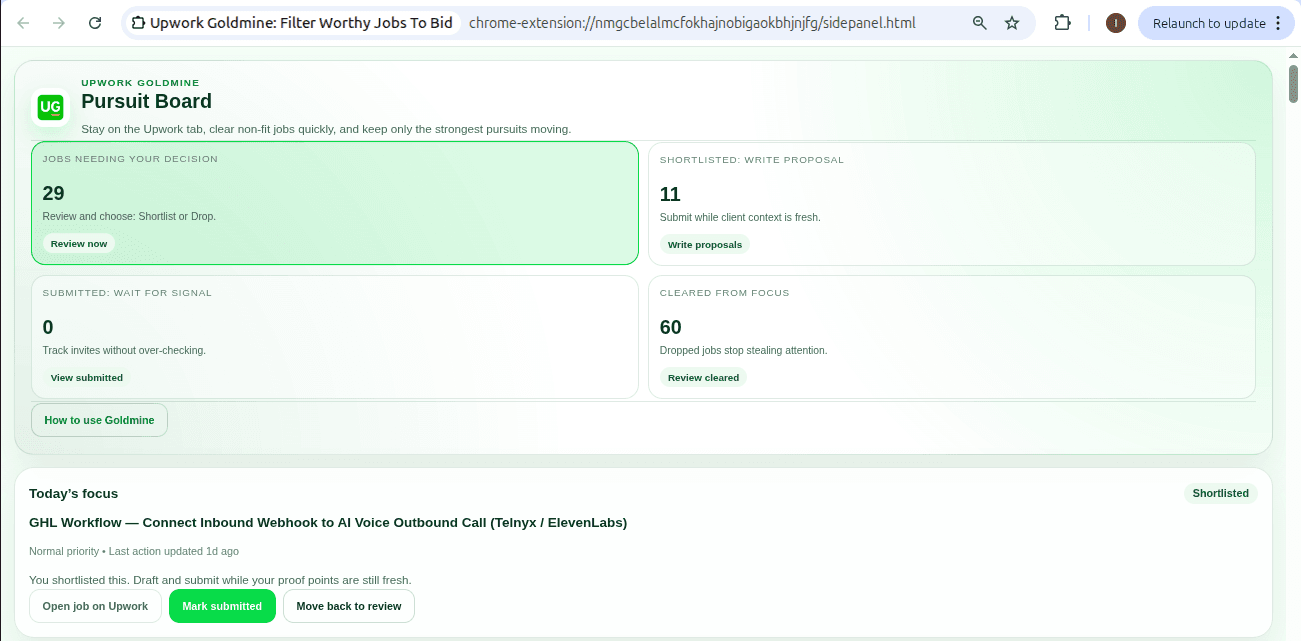
Pursuit Board
A job worth pursuing should not disappear into another tab.
Decide what deserves effort, keep the proposal angle beside the job, work through focused reminders, mark submissions and responses, clear stale opportunities, and return through a reliable title search when an old direct link expires.
Explore the Pursuit Board workflowProduct facts
Useful without pretending to be magic.
- Your Upwork password stays yours
- Goldmine never asks for it and never submits a proposal or spends Connects for you.
- You remain the decision-maker
- Goldmine gives you a recommendation and the decisive reason; your experience and fit still decide the proposal.
- Your pursuit stays portable
- Your board remains visible and exportable as CSV even when paid access is inactive.
- Built from the same frustration
- Goldmine began as a way to make one freelancer's own Upwork practice more focused and consistent.
Built from direct freelancer experience
Make the next proposal a deliberate business decision.
Muthukkumaran K. built Goldmine after three years of trying to make his own Upwork practice focused and consistent. More than 300 organic free-beta installs, without paid promotion, confirmed that other freelancers recognized the same problem.
7 days of full access. No card required.